|
Product
|
Price
|
Capacity
|
Brand
|
Shop
|
Actions |
|---|---|---|---|---|---|
|
31.50€
1.97€/GB
|
16GB
|
Other
|
eBay
|
View | |
|
7.89€
1.97€/GB
|
4GB
|
Other
|
eBay
|
View | |
|
63.54€
1.99€/GB
|
32GB
|
Other
|
eBay
|
View | |
|
1.99€
1.99€/GB
|
1GB
|
Other
|
eBay
|
View | |
|
9.99€
2.00€/GB
|
4GB
|
SanDisk
|
eBay
|
View | |
|
7.99€
2.00€/GB
|
4GB
|
Other
|
eBay
|
View | |
|
7.99€
2.00€/GB
|
4GB
|
Other
|
eBay
|
View | |
|
7.99€
2.00€/GB
|
4GB
|
Other
|
eBay
|
View | |
|
15.99€
2.00€/GB
|
8GB
|
Other
|
eBay
|
View | |
|
63.99€
2.00€/GB
|
32GB
|
Other
|
eBay
|
View | |
|
63.99€
2.00€/GB
|
32GB
|
Other
|
eBay
|
View | |
|
63.99€
2.00€/GB
|
32GB
|
Other
|
eBay
|
View | |
|
18.00€
2.00€/GB
|
8GB
|
Other
|
eBay
|
View | |
|
64.40€
2.01€/GB
|
32GB
|
Other
|
eBay
|
View | |
|
64.69€
2.02€/GB
|
32GB
|
Other
|
eBay
|
View | |
|
64.80€
2.02€/GB
|
32GB
|
Other
|
eBay
|
View | |
|
64.99€
2.03€/GB
|
32GB
|
LaCie
|
eBay
|
View | |
|
179.99€
2.03€/GB
|
64GB
|
SanDisk
|
eBay
|
View | |
|
32.85€
2.05€/GB
|
16GB
|
Other
|
eBay
|
View | |
|
66.14€
2.07€/GB
|
32GB
|
SanDisk
|
eBay
|
View | |
|
66.14€
2.07€/GB
|
32GB
|
SanDisk
|
eBay
|
View | |
|
66.39€
2.07€/GB
|
32GB
|
Other
|
eBay
|
View | |
|
8.36€
2.09€/GB
|
4GB
|
Other
|
eBay
|
View | |
|
133.99€
2.09€/GB
|
64GB
|
Other
|
eBay
|
View | |
|
135.82€
2.12€/GB
|
64GB
|
SanDisk
|
eBay
|
View |
USB Flash Drive Price Comparison
Filters











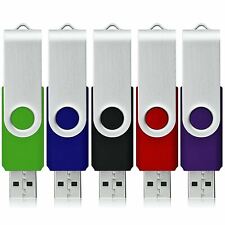


About USB Flash Drives
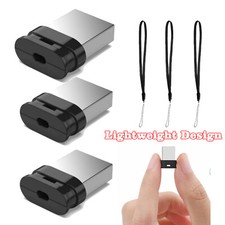
USB flash drives offer convenient portable storage in ultra-compact form factors, perfect for file transfers, document storage, and creating bootable installation media. Modern USB drives support USB 2.0 (480 Mbps), USB 3.0/3.1 (5-10 Gbps), and USB 3.2/4.0 (up to 20-40 Gbps) standards with capacities from 8GB to 2TB+. Prices range from €0.05 to €0.50 per GB depending on speed, capacity, and build quality. Key features include plug-and-play compatibility, password protection, hardware encryption, and ruggedized designs. Popular form factors include standard drives, ultra-compact micro drives, retractable designs, and keychain attachments.
Related Tools
Frequently Asked Questions
USB 2.0: 480 Mbps theoretical, 30-35 MB/s real-world. USB 3.0: 5 Gbps theoretical, 80-120 MB/s typical. USB 3.1 Gen 1: Same as 3.0. USB 3.1 Gen 2: 10 Gbps, 150-300 MB/s. USB 3.2: Up to 20 Gbps. USB4: Up to 40 Gbps. Always check both drive and computer support - limited by slowest component.
Quality varies dramatically. Premium brands (SanDisk, Kingston, Samsung) offer 5-10 year lifespans with warranties. Budget drives may fail within months. Look for: known brand names, write speeds >20 MB/s, good reviews, and warranty coverage. Avoid suspiciously cheap drives - they often use inferior flash memory and fail quickly.
Documents/Office: 8-32GB, USB 2.0 sufficient. Photo storage: 64-128GB, USB 3.0+. Video/media: 128GB-1TB, USB 3.1+ recommended. OS installation: 8-32GB, any speed works. Game/app portability: 256GB+, fastest available. Large file transfers: 512GB+, USB 3.1 Gen 2 or better for time savings.
Hardware encryption: Built into drive firmware, faster and more secure than software. Software encryption: Uses tools like BitLocker or VeraCrypt, works with any drive. Password protection: Ranges from basic software locks to biometric fingerprint readers. For sensitive data, choose drives with AES 256-bit hardware encryption and FIPS 140-2 certification.
USB drives typically handle 10,000-100,000 write/erase cycles. To maximize lifespan: safely eject before removal, avoid extreme temperatures, don't fill completely (leave 10-20 percent free), scan for errors regularly, and avoid frequent formatting. For critical data, maintain backups - USB drives are convenient but not suitable as primary storage.
Drive not recognized: Try different USB ports, update drivers, check Disk Management (Windows) or Disk Utility (Mac). Slow performance: Ensure USB 3.0+ connection, check for background processes, scan for malware. Corrupted files: Run chkdsk (Windows) or First Aid (Mac), avoid unplugging during transfers. Write protection: Check physical switch, run diskpart commands, or format if necessary.