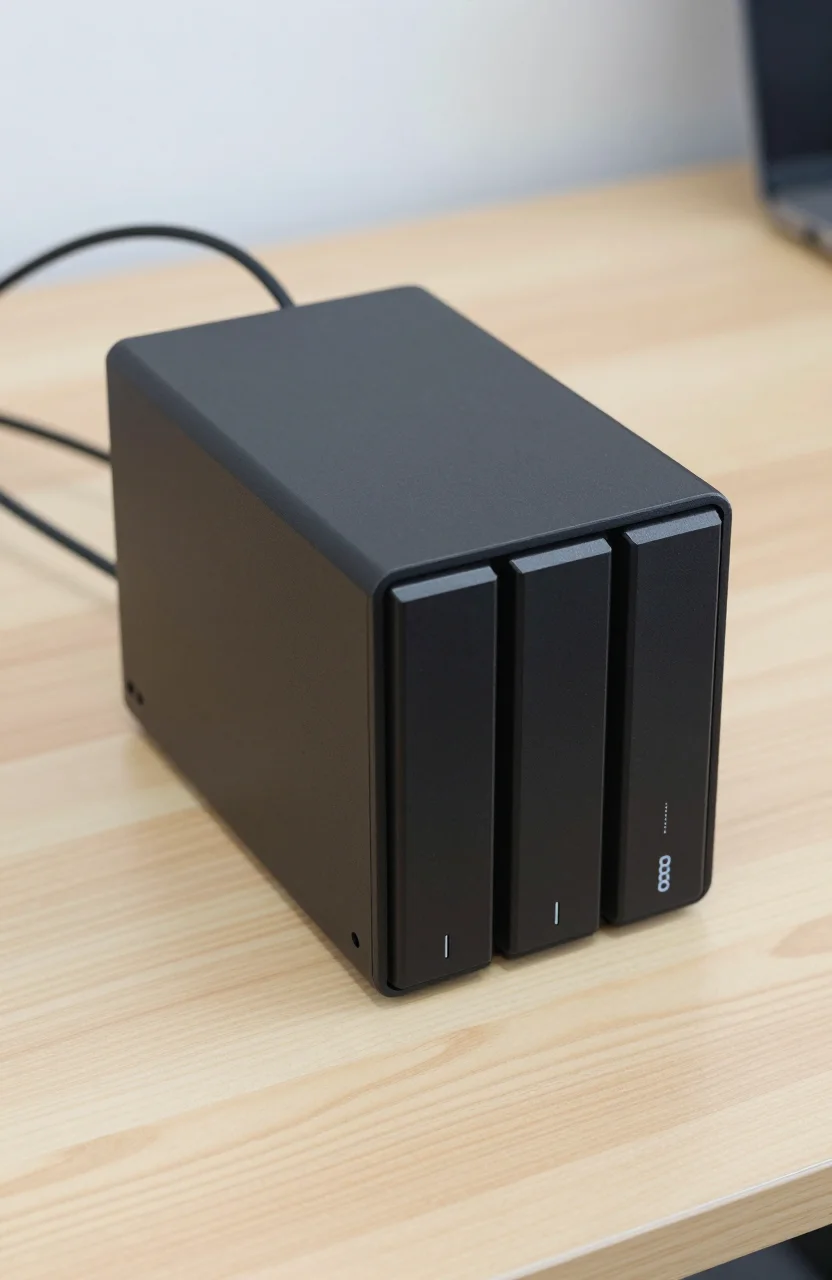
Synology still owns the "safe home NAS" reputation, but it is no longer the only box worth opening. Hardware-heavy buyers who want modern CPUs, more RAM headroom, and multi-gigabit networking without paying DSM-only pricing are looking at alternatives. One of the strongest Amazon options right now is the UGREEN DXP4800 Pro: roughly $679.99 diskless, Intel Core i3-1315U, 8GB DDR5, 10GbE plus 2.5GbE, four drive bays, and a 4.6 rating from about 1016 reviews.
This article is not a hate piece on Synology. It is a practical switch guide for people who already know why DSM is polished and still wonder whether UGREEN's denser hardware is the better deal. For NAS basics, skim our ultimate NAS guide first.

- Centralized Data Storage - Consolidate all your data for complete data ownership and multi-platform access
- Sharing and Syncing Across Systems - Access, share, and sync data across different systems and devices using intuitive controls
- Powerful Backup and Restoration - Back up and restore critical devices and data using a host of intuitive backup tools
- Check Synology knowledge center or YouTube channel for help on product setup and additional information
Why people leave Synology
Most exits are not about one bad weekend with DSM. They stack up over a few years of ownership:
- Hardware feels dated for the price. Popular 2-bay units stay conservative on CPU and networking. That is fine for light file shares. It is frustrating if you want 10GbE, on-box transcoding, many Docker containers, or frequent large backups.
- Expansion and RAM rules feel gated. Synology ecosystems are intentional. Buyers who want to max RAM or mix storage roles often hit official compatibility lists and "unsupported" warnings that kill the DIY mood.
- Total cost climbs fast. Chassis + compatible NAS HDDs + optional 10GbE accessories add up. When a competing 4-bay already includes faster networking and a stronger CPU in the base sticker, comparison shoppers notice.
- App store comfort vs performance hunger. DSM's package center is still excellent. Some users simply outgrow the hardware under that software long before they outgrow the software itself.
If your needs are still "two drives, Time Machine, photos, occasional remote access," Synology remains a calm path. The Synology DiskStation DS224+ is the classic diskless 2-bay starter for that profile. People leave when they want more bays, more Ethernet speed, or a CPU that does not feel like a bottleneck the week they enable media services and VMs together.
Another quiet reason: migration anxiety. Users fear being locked into one vendor's snapshots, apps, and backup jobs. Exploring UGREEN does not remove all lock-in (every NAS has its own OS quirks), but it does give leverage. Knowing you can buy a capable 4-bay elsewhere changes how you evaluate the next Synology refresh cycle.
Price psychology plays a role too. After watching drive prices, RAM kits, and add-on network cards stack on a "simple" Synology quote, some buyers recalculate and realize a denser chassis from another brand lands closer to their real workload. That does not make Synology bad. It makes the comparison rational once your checklist includes 10GbE, four bays, and a CPU that can host containers without constant swapping.
Community conversations often split into two camps: people who love DSM enough to accept slower silicon, and people who treat the NAS like a small server and resent artificial ceilings. If you recognize yourself in the second camp, you are exactly who UGREEN marketing is aiming at.
What UGREEN offers
The DXP4800 Pro is aimed at home labs and power users who care about the sheet metal specs first. Highlights from the listing we track:
- Intel Core i3-1315U (modern enough for Docker, light VMs, and snappier UI than older dual-core ARM/Atom-class boxes)
- 8GB DDR5 included (upgrade path matters; start here and plan RAM if you run many services)
- Networking: 10GbE plus 2.5GbE for fast LAN backups and multi-client transfers
- 4-bay diskless chassis so you bring your own CMR NAS drives
- Amazon social proof: about 4.6 stars from roughly 1016 ratings
- Street price context: around $679.99 before drives
That combination is the pitch. You are buying throughput and compute density closer to a mini PC that happens to hold four disks, not a minimal appliance optimized only for quiet file sharing.
In practice, the 10GbE port changes weekend workflows. Copying camera archives, game libraries, or editing scratch folders across the LAN stops feeling like a coffee-break ritual if your switch and client NICs can keep up. Many older home Synology setups still sit on 1GbE unless you add adapters. UGREEN putting multi-gig on the base unit is exactly why hardware shoppers shortlist it.
Storage layout still follows normal NAS rules. Use CMR NAS drives, plan RAID for your risk tolerance, and keep an offsite or offline copy. Our notes on RAID for content creators and the 3-2-1 backup rule apply whether the badge on the chassis says Synology or UGREEN.
Software side: UGREEN ships its own UGOS-style experience with file services, app-style features, and Docker-friendly workflows depending on model and firmware. It will not mirror DSM package-for-package. Expect to re-learn backup jobs, user permissions, and mobile apps. Expect faster hardware underneath while you do that learning.
Plan the rest of the LAN before you celebrate. A 10GbE NAS into a 1GbE consumer router will not deliver magic. Budget for a multi-gig switch or a direct 10GbE link to your editing PC if that is the point of the purchase. Same story for client NICs and quality Cat6A cabling on longer runs. The DXP4800 Pro removes the chassis bottleneck. Your switches and desktops still have to keep up.
Drive choice still makes or breaks the build. Pair the chassis with CMR NAS-class disks, leave room for SMART monitoring, and burn in new drives before you trust them with unique data. A fast CPU cannot rescue a bad RAID rebuild on the wrong platter technology.
Mid-article CTA: if the hardware list matches your lab goals, check live pricing and seller details for the UGREEN DXP4800 Pro before you commit to another two-bay refresh.
Trade-offs
Switching brands is never free. Be honest about these trade-offs before you order disks.
Ecosystem maturity. Synology's DSM, Hyper Backup, Active Backup, Photos, and documentation depth are still the gold standard for many households. UGREEN is catching attention with hardware, but long-term firmware habits, third-party tutorials, and "my IT cousin already knows it" support favor Synology.
App expectations. If your household depends on a specific Synology package workflow (certain backup agents, surveillance packages, or tightly integrated photo tools), inventory those needs first. Replacing the chassis is easy. Replacing muscle memory is not.
Support and warranty culture. Brand forums, RMA experiences, and how often people document obscure bugs differ. Read recent owner threads for both brands, not just five-star highlights.
Noise, power, and size. A 4-bay with a stronger CPU can draw more power and move more air than a tiny 2-bay living-room unit. If the NAS sits next to a sofa, acoustics matter as much as 10GbE.
Drive spend. Diskless means the $679.99 sticker is the beginning. Four quality NAS HDDs can exceed the chassis cost. That is true for Synology 4-bay kits too, but budget honestly so you do not strand an empty box.
Learning curve. DSM refugees sometimes underestimate onboarding time. Schedule a weekend for migration, verify checksums on critical shares, and keep the old box online until you trust the new one.
Migration mechanics deserve a blunt paragraph. Do not assume "copy shares overnight and delete the old volume" is a plan. Inventory which data is unique, which is already backed up elsewhere, and which apps recreate state (photo databases, container configs, VPN profiles). Move irreversible family archives first with verification. Recreate services second. Only then wipe or redeploy the old Synology. Rushing that order is how people "switch NAS brands" and also invent a new recovery project.
Security hygiene travels with you. New NAS means new admin password habits, updated firmware on day one, careful port exposure, and a decision about remote access tools. Faster silicon does not excuse leaving default credentials online.
None of these trade-offs kill the UGREEN case. They simply mean "faster ports" is not a full migration plan.
Who should switch
Good fit for UGREEN DXP4800 Pro
- Home lab users who want Docker, light VMs, and a CPU that does not choke when several services run
- Creators moving multi-hundred-gigabyte projects on the LAN and ready to use 10GbE end to end
- Buyers who prefer a 4-bay from day one instead of outgrowing a 2-bay in twelve months
- People comfortable reading docs, updating firmware, and rebuilding shares without hand-holding
Better staying on Synology (or starting with DS224+)
- Households that value DSM polish and the widest how-to library more than raw silicon
- Users who only need simple redundancy, media streaming, and remote file access
- Anyone who wants the smallest decision surface and a known 2-bay path via the Synology DS224+
Hybrid mindset. Some people keep Synology for "family photos and documents" and add a UGREEN box as a fast scratch/lab machine. That costs more, but it separates experimental containers from irreplaceable libraries. If you go hybrid, label backups clearly so you do not assume both boxes protect the same data.
Decision shortcut: if your complaint emails to yourself mention "1GbE is too slow" or "CPU at 90% during Plex and backups," UGREEN's hardware story is aimed at you. If your complaints are about app simplicity and remote grandparents accessing albums, stay closer to Synology.
Also be honest about time. A switch that saves money on paper but costs three weekends of recovery drills is not a bargain if you bill your hours. If you enjoy lab work, UGREEN can be fun infrastructure. If you want storage to disappear into the background, prioritize the ecosystem you already trust.
Verdict
UGREEN is a credible Synology alternative when you are buying for hardware headroom. The DXP4800 Pro packages an i3-1315U, 8GB DDR5, 10GbE+2.5GbE, and four bays at about $679.99 diskless, with a solid 4.6/1016 Amazon rating signal. Synology still wins on ecosystem comfort, especially if the DS224+ already covers a light home workload.
Switch if you outgrew polite 2-bay performance and you accept re-learning NAS software. Stay if DSM's calm reliability is the product you actually want. Either way, buy CMR NAS drives, test restores, and do not treat any single chassis as your only copy of important files.
Build a one-page cost sheet before checkout: chassis, four drives, any RAM upgrade, multi-gig switch ports, and a backup target. That total is the real number to compare against staying on Synology for another generation. If UGREEN still wins on that sheet and your workload matches the hardware strengths, it is a smart alternative, not a risky rebellion.
Ready to compare live deals? Open the UGREEN DXP4800 Pro listing, add drive costs to a calculator, and only then retire your current box.